
How do I cancel my subscription?
If you would like to cancel your account, you can do so in the app or in My Account on the NuCalm site (please login with your NuCalm app credentials).
Cancel In-App
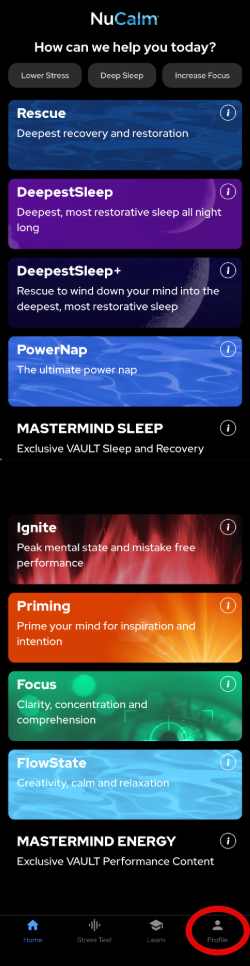
Go to the My Profile screen:
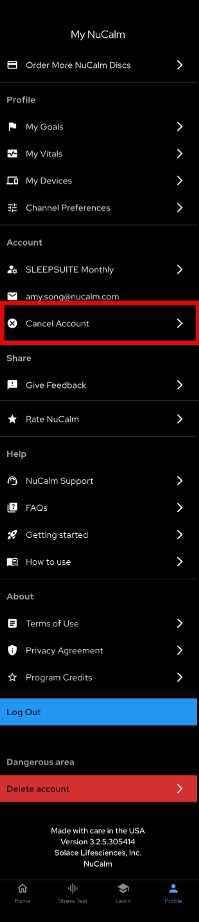
Select Cancel Account:
Cancel in My Account on NuCalm Site
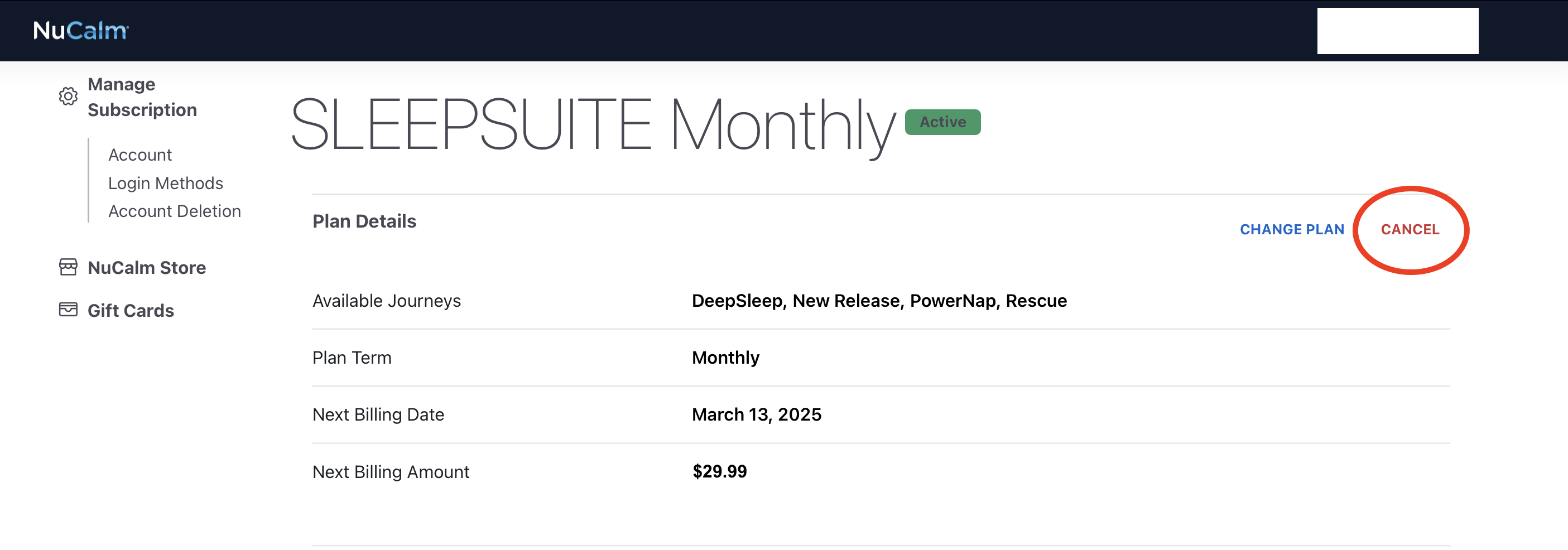
Or you can log in to My Account with your app login credentials. Under Manage Subscription, click on Account. Click on the Cancel button to complete the cancellation process.
All sales are final, so be sure to cancel your subscription before your renewal date. No refunds can be issued once the renewal has occurred. There are no refunds for the lifetime subscription or gift cards.
As an alternative to canceling, so that you do not lose access to your NuCalm app, consider changing your subscription to the Rescue plan - starting at just $14.99 per month. Downgrades take effect at the end of the paid period.